Hula - AI Video Generator
- 4.3
- Rating
- 5.00M
- Installs
- Free
- Price

 Analysis by App-foxy
I approached Hula - AI Video Generator as someone looking for a quick way to make more expressive content from ordinary photos, rather than as a replacement for a full video editor. It is a photography app from Prequel Inc. with a clear focus on turning still images into short visual experiments, including realistic-looking and anime-inspired results. That focus makes it interesting for social posts, profile images, playful messages, and small creative projects where the transformation matters more than detailed editing control.
My first impression is that Hula is aimed at reducing the distance between “I have a photo” and “I have something animated or stylized.” You do not need to begin with a timeline, a collection of clips, or an understanding of advanced editing terminology. The appeal is immediate: choose an image, try a visual treatment, and see whether the result gives the picture a new mood. For a first-time user, that simplicity is the strongest reason to try it.
At the same time, I would not install it expecting a complete production suite. The app belongs in the creative photography space, not beside desktop-grade video software. Its value depends on how much you enjoy fast experimentation and whether the available results match the kind of content you want to make. If you prefer to control every cut, transition, sound layer, and export detail yourself, a conventional editor will probably feel more predictable.
You May Also Like

 Google Keep - Notes and lists
Google Keep’s Quiet Growth Shows the Appeal of Simpler Notes
As mobile work gets busier, Google Keep keeps winning a simple contest: capture a thought quickly, find it later, and get on with the day.

 Blood Strike: 2.5 Anniversary
Blood Strike’s Loadouts Turn Every Drop Into a Tactical Gamble
A close look at Blood Strike’s custom loadouts: how fast access to signature weapons reshapes its battle royale rhythm, rewards preparation, and narrows the gap between fights.

 Pandora - Music & Podcasts
Pandora’s Music Is Easy to Start, but Harder to Recover
Pandora’s strength is its low-effort path from a seed to a station. Its weak spot is how much confidence it asks you to place in connection, setup, and quiet recovery.

 8 Ball Pool
 Is Built on Rivalries, Rematches, and Routine
A close look at the rivalries, rematches, shared routines, and unanswered safety questions that turn a quick pool match into a persistent mobile community.

 Samsung Music
’s Quiet Strength Is Playing What You Already Own
Its reach comes less from spectacle than from dependable access to a personal library. That simplicity is both the app’s strongest retention engine and its ceiling.

 AccuWeather: Weather Radar
AccuWeather Review: A Quick, Clear Forecast for Everyday Decisions
For everyday plans, the best forecast is the one you can understand quickly. AccuWeather makes rain timing, radar, and local conditions easy to act on, with a few trade-offs.
More From Our News Desk



Getting from the first launch to a useful result
I start by thinking about what I want the photo to become, because a clear goal makes the first session more useful than tapping through effects at random. A simple portrait or pet photo is a practical test: it lets me judge whether the result preserves the subject before I try more expressive styles. From there, the next section looks at how Hula’s visual approach shapes the kinds of results I’d trust and share.
What Hula is really designed to do
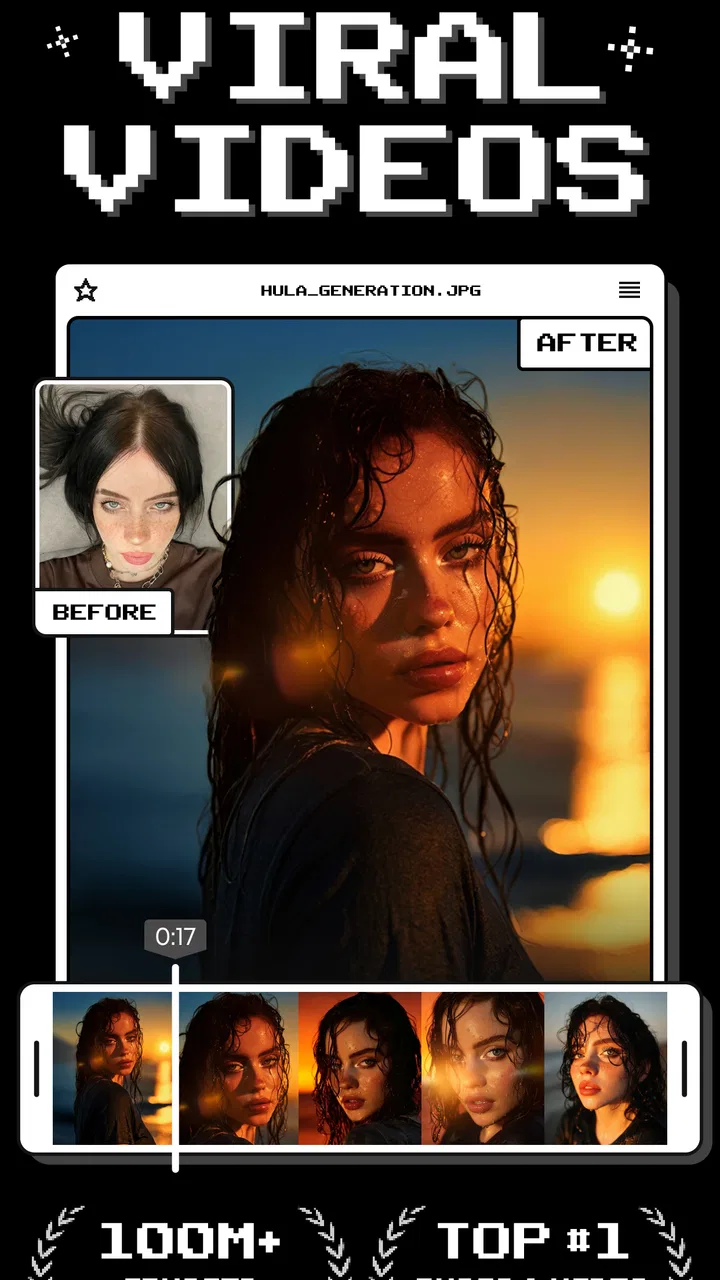
The store summary describes a photo-to-video experience, and that is the right mental model. I see Hula as a tool for giving a single image more presence. A portrait can become a short visual greeting, an illustration can take on an animated feel, and a casual snapshot can become something worth sharing instead of remaining buried in the camera roll.
The realistic and anime-style directions also suggest two different creative paths. Realistic treatments are more suitable when you want the original subject to remain recognizable and the motion to feel relatively restrained. Anime-inspired results are better when you want a stronger change in mood or appearance. I would test both with the same source image before deciding which style suits a particular post.
That comparison is more useful than choosing a style based only on its thumbnail. A dramatic effect can look exciting in the preview but may distract from the person or object in the original photo. Conversely, a subtler treatment may look less impressive at first and work better once the image is viewed in a message or social feed. My practical advice is to judge the finished result at the size where people will actually see it.
Preparing for the first attempt
Hula is free to install, and it is listed for users aged 17 and over. The current version is 2.28.0, with a minimum operating system requirement of 10. Before starting, I would make sure the phone has a suitable image ready and enough patience for a few experiments. The best first test is not necessarily your most important photograph; it is a clear image with one obvious subject and a background that does not compete for attention.
A well-lit portrait, a pet looking toward the camera, or a simple travel photo usually gives you a better starting point than a crowded group picture. This is one of the less obvious lessons with AI-based visual tools: the effect may be advanced, but the input still matters. If the original image is blurry, heavily cropped, or full of overlapping subjects, the result can be harder to judge fairly.
I also recommend keeping the first session deliberately small. Choose one image, try one or two styles, and compare them before importing a large batch. That approach makes it easier to understand what the app is doing and prevents the novelty of endless choices from replacing an actual creative decision.
The first meaningful action
For a reassuring first success, I would use a portrait with a clear face and a simple background. Start by selecting the image, choose a realistic treatment first, and wait for the result rather than immediately chasing the most dramatic option. The goal is not to create a perfect finished post on the first tap. It is to learn how closely Hula preserves the identity, framing, and mood of the source.
Once the first version appears, inspect the face, hair, hands, and background separately. AI-generated motion can be convincing in one area and less natural in another. Looking at the whole result as a quick impression is useful, but checking these specific areas helps you decide whether the problem comes from the chosen style or from the original photo.
After that, repeat the process with an anime-style option. This second attempt teaches an important distinction: a result can be successful without being realistic. If the transformed image feels deliberately illustrated and the subject remains readable, the stronger visual change may be exactly what you wanted. I would save the version that communicates the intended mood, not automatically the one that looks closest to the original.
A practical workflow is to make one restrained version and one expressive version, then show both to yourself later rather than deciding instantly. The first reaction often favors novelty. After a short break, it becomes easier to see which result would still feel appropriate as a profile image, a birthday message, or a short post.
Where first-time users may hesitate
The biggest source of confusion is likely to be the difference between a photo effect and a fully controllable video project. Hula can help transform the visual character of an image, but that does not mean every result will behave like footage recorded with a camera. If you need a carefully timed sequence with multiple scenes, manual captions, or precise audio editing, you should move the finished visual into a more traditional editor rather than expecting Hula to handle the entire production process.
Another point worth understanding is that “AI” does not remove the need for selection. The app can generate a result, but you still have to choose a suitable source, decide whether the style fits, and notice when the transformation changes an important detail. I would treat each generated version as a draft. That mindset makes imperfections easier to handle and encourages you to compare alternatives instead of accepting the first output automatically.
In-app purchases are available, ranging from $0.99 to $99.99 per item. Because of that range, I would explore the free experience first and only consider spending money after I know which part of the workflow I actually value. A low-cost experiment may be reasonable for occasional creative use, but frequent buyers should think about how quickly individual purchases could add up. The important question is not simply whether the app is free to download; it is whether the specific effects or workflow you want fit your budget.
This is also where Hula differs from many ordinary camera apps. A standard editor usually gives you familiar controls such as cropping, brightness, filters, and manual trimming. Those tools are more predictable because you directly adjust the image. Hula is more interesting when you want the app to interpret the image and produce a transformation, but interpretation also brings less certainty. I would use a conventional editor for correction and assembly, then use Hula when the creative change itself is the point.
Three workflows that make the app more useful
My first recommended workflow is a “same photo, two moods” test. Use one source image and create a realistic version followed by an anime-style version. This is not just a fun comparison; it helps you learn which visual direction handles your subject better. If the realistic result preserves the face but feels too ordinary, the illustrated version may be the better choice. If the anime treatment loses important details, the restrained version may be more effective.
The second workflow is to prepare an image specifically for transformation instead of selecting a random camera-roll photo. Crop out distracting edges, choose a subject with clear separation from the background, and avoid a picture where several people overlap. This small amount of preparation can improve the usefulness of the experiment without requiring advanced editing. It also makes failures easier to diagnose because you have removed some avoidable problems before generation.
The third is to use Hula as the visual stage of a larger process. Create the transformed image or video here, then use another familiar application for text, timing, music, or final arrangement if those controls matter to you. This combination is more realistic than asking one app to be excellent at every part of content creation. Hula supplies the distinctive visual idea; another tool can provide the precision.
There is a fourth use that I find especially practical: making a personal message feel less generic. For example, if I wanted to send a friend a birthday greeting, I could start with a photo connected to a shared memory and create a short stylized version. The result would not need to be technically perfect. It would simply give the message a personal visual twist that a standard text card would not have.
Everyday scenarios where it fits
Imagine taking a weekend photo of a dog sitting near a window. A normal photo editor might improve the exposure or add a color filter, while Hula gives you the chance to turn the image into a more animated, shareable moment. The realistic direction could preserve the familiar character of the photograph, while the anime-style direction could make it feel like a playful illustration. I would compare both and choose the one that still looks like the dog rather than the one with the most intense effect.
For a small business owner or independent creator, the app could be useful for producing occasional visual variations from existing photos. A product image might become a short attention-grabbing post, while a portrait could be adapted for a campaign with a more imaginative tone. I would still review every result carefully before publishing, especially when the image represents a person, product, or service where accuracy matters.
For families, friends, and casual users, the strongest use case is lower pressure. You can experiment with a photo without committing to a large project. That makes the app approachable for someone who wants a creative result but does not want to learn a complex editor first. The trade-off is that casual use may not justify repeated purchases if you only open the app for an occasional novelty.
Who should use it and who should skip it
I think Hula is a good match for people who enjoy visual experimentation, want quick transformations, or regularly share portraits and images in social spaces. It is also suitable for first-time creators who find conventional video timelines intimidating. The combination of photo input and stylized output gives you a clear starting point, and you can learn by comparing results rather than studying a long editing workflow.
I would be more cautious if your priority is exact control. Photographers who need faithful color management, editors who require frame-by-frame adjustments, and creators who depend on reliable continuity across several shots may prefer established editing software. Hula’s appeal comes from interpretation and speed, while those users often need repeatability and manual precision.
It may also be the wrong choice if you dislike AI-generated changes to personal images. The app is built around transformation, so the result may not preserve every feature exactly as captured. If keeping the original appearance untouched is more important than adding motion or style, a standard photo editor will be a better fit.
How its popularity affects the decision
Hula has an average rating of 4.3 from around 155,000 ratings, with over 5 million installs and around 1,900 written reviews. Those figures suggest that the concept has reached a substantial audience, but they should not replace a personal trial. Creative apps can receive strong reactions from users who enjoy experimentation while feeling less useful to people seeking professional control.
The developer, Prequel Inc., places the app within a recognizable creative-editing tradition, but Hula has a narrower identity than a general-purpose photo editor. I would judge it by the quality and usefulness of its transformations, not by whether it can replace every other photography tool on my phone.
What to do after the first success
Once you have one result you genuinely like, the next step is to build a repeatable habit rather than simply trying random effects. Save a small group of source images with clear subjects, note which visual direction works best for portraits or pets, and compare outputs at their intended sharing size. Over time, you will learn that the strongest result often comes from matching the effect to the image instead of forcing one favorite style onto everything.
I would also keep the original photo untouched. That gives you a reliable fallback and lets you compare the transformation honestly. If you plan to share the result, check whether the altered image still communicates the context you want. A playful anime treatment may be perfect for a private message but less suitable for a professional profile or a product announcement.
Hula works best when I treat it as a creative starting point: a way to turn a still image into something with more personality. It is not the right tool for every video task, and its purchase model deserves attention before regular use. Still, for someone who wants an easy first step into AI-assisted visual creation, the path is clear: choose a strong photo, test restrained and expressive styles, inspect the details, and keep only the version that serves a real purpose.
My overall view is positive, with sensible limits. The app makes experimentation approachable, and its realistic and anime-style directions give ordinary photographs more room to communicate. The most satisfying results come from thoughtful image selection and a willingness to treat generated versions as drafts. If that sounds like the kind of creative process you enjoy, Hula - AI Video Generator is worth trying as a free photography app, while users who need detailed manual editing should stay with a more traditional alternative.
FAQs for Hula - AI Video Generator
01What is Hula - AI Video Generator and what can it do?
Hula - AI Video Generator is an AI-powered creative app designed to turn text prompts, images, or other user-provided ideas into short videos. It can help create social media clips, animated concepts, visual stories, promotional content, and experimental scenes without requiring traditional video-editing skills. Results depend on the prompt, source material, selected style, and the version of the app available on your device.
02Is Hula - AI Video Generator free to use?
Hula may be available to download for free, but some features can require in-app purchases, credits, or a subscription. AI video generation often uses considerable processing resources, so the app may limit free creations, export options, video length, resolution, or access to premium styles. Before generating multiple videos, check the current pricing, trial terms, renewal conditions, and whether unused credits expire.
03Do I need an internet connection to generate videos in Hula?
Yes, an active internet connection is generally required for Hula’s main AI features because prompts and media are processed through online servers rather than entirely on the phone. A stable Wi-Fi or mobile-data connection can make generation and uploading more reliable. Processing time may vary according to video length, demand, complexity, and your device’s connection speed.
04Can I use Hula-generated videos commercially or on social media?
You may be able to share generated videos on platforms such as TikTok, Instagram, YouTube, or other social networks, but commercial rights depend on Hula’s current terms of service and the plan used to create the content. You should also confirm that your prompts, uploaded images, music, logos, and likenesses are legally usable. Avoid creating misleading, copyrighted, or unauthorized material.
05Is Hula - AI Video Generator safe and easy for beginners?
Hula is intended to make AI video creation accessible, especially for users who do not have experience with complex editing software. Beginners should still review the permissions requested by the app and read its privacy policy before uploading personal photos, private footage, or identifiable faces. AI output can contain visual mistakes, unexpected details, or inaccurate results, so every video should be checked before publishing.
Pros
- Creates polished videos from simple text prompts
- Useful for short-form social media content
- AI handles animation
- transitions
- and visual effects
- Supports fast experimentation with different creative ideas
- Can help beginners produce videos without editing skills
Cons
- Results may vary noticeably between prompts
- Generated clips can contain visual inconsistencies
- Advanced customization options may be limited
- High-quality exports may require a paid subscription
- Processing times can increase for complex video requests

Hula - AI Video Generator
Gallery